USB-C Charging Cable
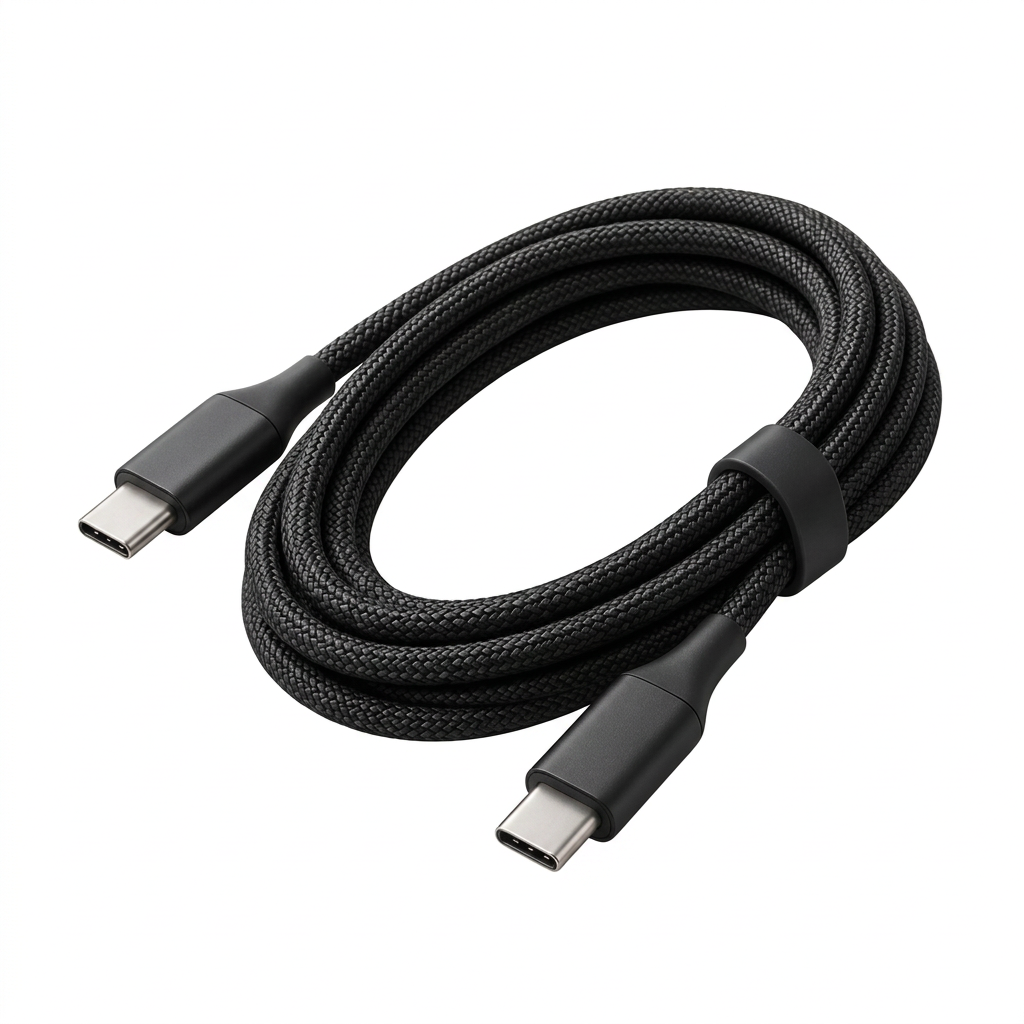
Standardizing on a single connector, USB-C, was supposed to make cables simpler. Instead it created a new problem: nearly every USB-C cable looks identical whether it only charges a phone or handles full-speed data and high-wattage laptop charging, and there's no way to tell by looking. Cable organizers and labeled cord keepers exist almost entirely to solve a problem the standardization itself created — knowing which identical-looking cable does what.
The same factories that produce for houses like Celine and Balenciaga can produce this piece, directly to you
GABI
Make it yours
Material gradeMOQ 50
Colour
USB-C Charging Cable
Standardizing on a single connector, USB-C, was supposed to make cables simpler. Instead it created a new problem: nearly every USB-C cable looks identical whether it only charges a phone or handles full-speed data and high-wattage laptop charging, and there's no way to tell by looking. Cable organizers and labeled cord keepers exist almost entirely to solve a problem the standardization itself created — knowing which identical-looking cable does what.
The same factories that produce for houses like Celine and Balenciaga can produce this piece, directly to you
GABI
Make it yours
Material gradeMOQ 50
Colour
Standardizing on a single connector, USB-C, was supposed to make cables simpler. Instead it created a new problem: nearly every USB-C cable looks identical whether it only charges a phone or handles full-speed data and high-wattage laptop charging, and there's no way to tell by looking. Cable organizers and labeled cord keepers exist almost entirely to solve a problem the standardization itself created — knowing which identical-looking cable does what.
The Cable Problem Standardization Created
USB-C's single connector shape hides meaningfully different cable capabilities, creating the exact confusion cord keepers try to solve.
A cable organiser roll uses individual loops or slots that keep cables separated and coiled without kinking, versus a simple pouch that just bundles everything loosely.
USB-C cables carry two separate specs that look identical on the cable itself: wattage rating (charging speed) and data transfer standard (USB 2.0 vs. 3.x vs. Thunderbolt).
A USB-C hub's port selection (HDMI, USB-A, card readers) and power delivery pass-through capability determine both cost and usefulness, since a hub without pass-through can't charge a laptop while its ports are in use.
FAQ
A leather cable organiser roll (China, 300–500 unit run) lands around $6–12; USB-C cables run $1.50–4 depending on wattage rating; a multi-port USB-C hub runs $10–20 depending on port count and pass-through capability.
Individual elastic loops or slots for each cable to prevent tangling and kinking, versus a simple open pouch that's cheaper but lets cables bundle together loosely.
State both explicitly — a 60W or 100W rating for laptop charging, lower for phone-only charging; and USB 2.0 for basic data, USB 3.x or Thunderbolt for high-speed transfer. Neither spec is visible from the cable's appearance.
Typically 500–1,000 units per design for cables and organizers, since both cable assembly and fabric cutting carry setup costs that need volume to be efficient.
Common selections include HDMI, USB-A, and an SD card reader; pass-through power delivery matters if the hub needs to charge a laptop simultaneously with its ports in use, which is a common expectation buyers may not think to ask about explicitly.
Yes — printing wattage and data standard directly on the cable or its packaging avoids the exact confusion this category exists to solve, and is a low-cost addition worth including by default.
USB-C cables generally fall under HS 8544; hubs fall under HS 8471 or HS 8517 depending on function; fabric organizers fall under HS 4202 or HS 6307. Confirm per SKU, as this group spans several HS chapters.